Why your gear choice matters
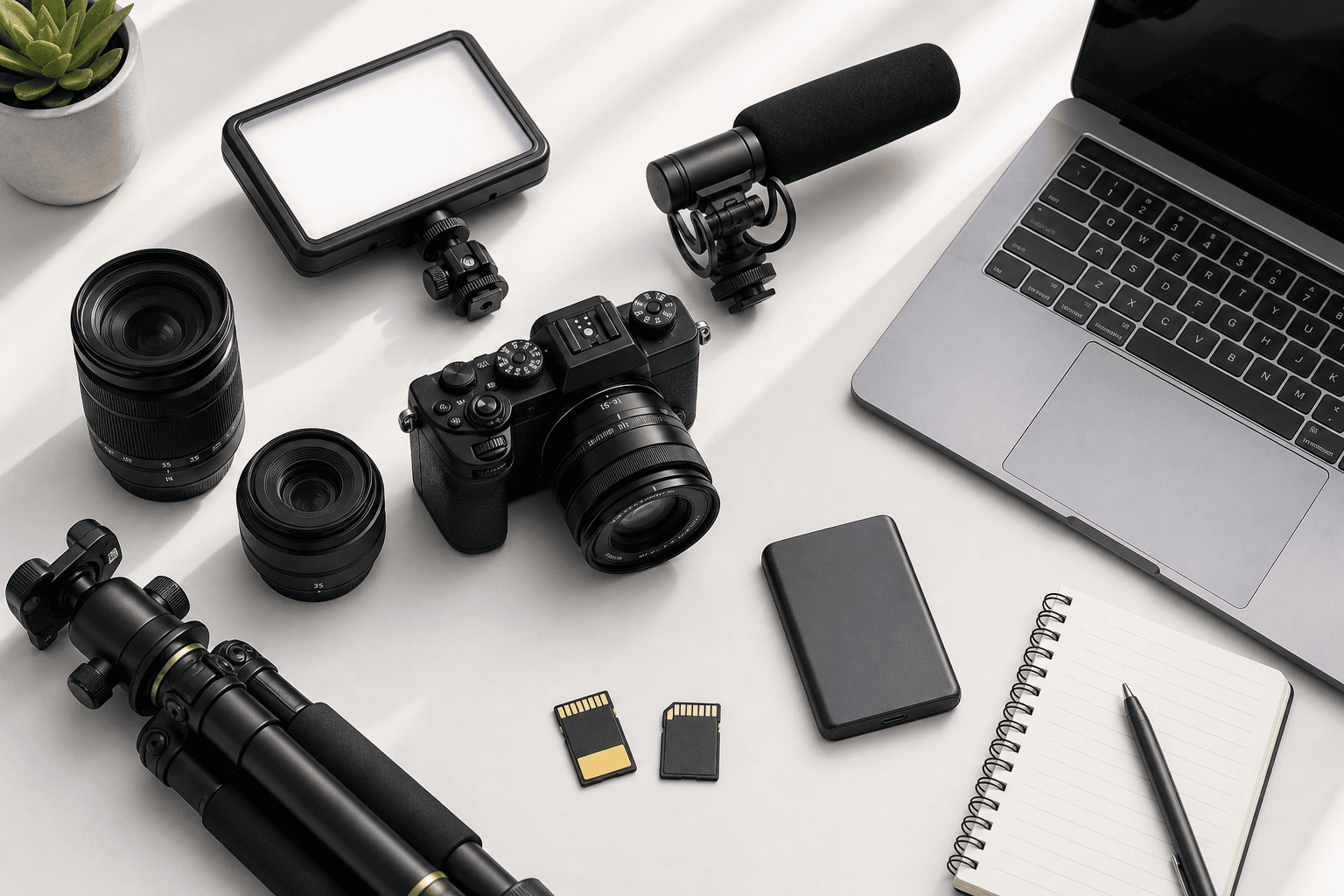
Whether you are launching a YouTube channel, producing corporate interviews, or elevating your photography portfolio, the right mix of camera, audio, and lighting can dramatically influence the clarity, consistency, and efficiency of your workflow. In the electronics and appliances category, the landscape evolves quickly—new sensors promise better dynamic range, autofocus systems grow more intelligent, and compact lighting gets brighter while staying cooler. For creators, this abundance is both an opportunity and a challenge: the choices are powerful, but the decision tree can feel overwhelming. Retailers like bhphotovideo.com help you navigate with extensive product assortments, detailed specs, and education resources, yet it still pays to understand a few fundamentals before you add items to your cart. At a high level, match your gear to your most frequent scenarios. If you primarily film talking-head videos in a small room, a mirrorless body with reliable face-detect autofocus, a fast prime lens, a directional microphone, and a soft key light will likely deliver more impact than an expensive cinema camera with a complicated rig. If you shoot fast-moving events or weddings, prioritize autofocus tracking, robust image stabilization, dual-card recording, and lenses that cover a range of focal lengths so you can adapt quickly. For product photography or tabletop videos, controlled lighting and color accuracy matter more than maximum resolution. Budget also maps to priorities. Entry-level kits should emphasize dependable autofocus, decent low-light performance, clean audio acquisition, and lighting that is easy to set up. Mid-tier creators might invest in log or flat profiles for flexible color grading, faster lenses for depth control, more precise microphones, and sturdier tripods. Professionals often need more: 10-bit or RAW video, high frame rates for slow motion, timecode sync, balanced XLR audio, powerful continuous lights, and durable support systems built for daily use. Beyond acquisition, plan for the entire workflow. Media cards and portable SSDs define recording duration and offload speed, while power solutions—spare batteries, USB-C PD, or DC couplers—determine how long you can operate without interruptions. Monitoring and calibration tools, from on-camera displays to color-accurate monitors, help you evaluate exposure and color during capture and edit with consistency. When you view your kit as an ecosystem—camera body, lenses, audio, lighting, support, power, and storage—you make smarter, longer-lasting purchases that grow with your craft.
What to look for in key components
Start with the camera body, because it sets the foundation for lens compatibility, recording formats, and autofocus behavior. Sensor size influences field of view and low-light performance: full-frame typically excels in shallow depth-of-field and noise control, while APS-C and Micro Four Thirds can be lighter, more affordable, and offer extended reach with the same focal length. Look for accurate, sticky eye-detect autofocus for people-focused content, and consider subject detection modes for sports, pets, or vehicles. Video creators should weigh codec efficiency, internal bit depth (10-bit is helpful for grading), rolling shutter control, and high frame-rate options if slow motion is important. In-body image stabilization (IBIS) can smooth handheld shots, and a fully articulating screen simplifies framing for solo operators. Lenses shape your visual style. A fast 24–70mm or 28–75mm zoom covers wide to portrait lengths for generalists, while primes like 24mm, 35mm, and 50mm excel in low light and deliver consistent cinematic looks. For interviews, an 85mm prime can provide pleasing compression and background separation; for travel and events, a 24–105mm or 18–135mm zoom reduces lens swaps. Macro lenses and close-focus primes are great for product detail. Check stabilization in-lens (OIS) if your camera lacks IBIS, and confirm autofocus noise is minimal for on-camera audio. Audio often determines perceived production quality. A compact on-camera shotgun mic helps reject room noise and keeps your setup nimble. For dialogue, lavalier microphones (wired or wireless) maintain consistent levels as a subject moves; dual-channel wireless kits simplify two-person interviews. If your camera has a 3.5mm jack only, an external preamp or digital audio adapter can improve clarity; if you need pro connectivity, consider bodies or accessories with XLR inputs and phantom power. Always monitor with headphones when possible to catch clipping, interference, or rustle. Lighting controls the mood. LED panels and COB point-source lights now deliver strong output with high color fidelity (look for CRI/TLCI ratings and stable color temperature). Softboxes, umbrellas, and diffusion help create flattering skin tones; grids restrict spill to keep backgrounds clean. Bi-color lights enable quick white balance matching, while RGB adds creative accents. Don’t overlook light stands, clamps, and compact modifiers for small rooms. Accessories complete the system. A sturdy tripod with a fluid head enables smooth pans and tilts; compact gimbals stabilize motion shots. ND filters manage shutter speed in bright conditions for video. Choose high-speed SD or CFexpress cards that meet your camera’s data rates, and use a reliable card reader for swift offloads. For a curated shopping experience with broad inventory and filterable specs, you can explore offers to compare options side by side and align features with your needs.
Practical steps to build your kit
Begin by defining three core scenarios you will shoot most often, then write down the lighting conditions, subject distance, and sound environment for each. This exercise reveals whether you should prioritize low-light performance, quiet autofocus, powerful stabilization, or multi-microphone workflows. Next, outline a realistic budget range and split it across camera, lens (or lenses), audio, lighting, and essentials like support and media. A balanced starter split might allocate roughly 40% to camera and lens, 20% to audio, 25% to lighting and modifiers, and 15% to support, power, and storage—adjust as your priorities dictate. Create a short-list with two or three camera bodies and corresponding lenses. Watch sample footage and stills at native resolution, and, when possible, test ergonomics in person or via loaner programs. Pay attention to menu logic, button placement, and grip comfort if you shoot for long stretches. For lenses, check focus breathing if you plan to rack focus in video, and consider minimum focus distance for tabletop work. For audio, test mic placement and gain structure; record a 60-second sample in your typical room and listen on neutral headphones. Plan your power and media strategy. For day-long shoots, aim for at least two or three batteries per camera, or use USB-C PD where supported. If you record 4K 10-bit or high-frame-rate clips, confirm your SD or CFexpress cards meet sustained write speeds, not just peak ratings. Back up footage in at least two places: a portable SSD on set and a larger drive or NAS in the studio. Consider color management early by using a gray card or color chart during setup, and maintain a consistent white balance to simplify editing. As you finalize purchases, factor in availability, shipping timelines, and after-sales support. Protective cases, padded straps, rain covers, and screen protectors can extend the life of your investment. Many creators also explore open-box or refurbished gear to stretch budgets while staying within needed specs. Reading user reviews and watching tutorial content accelerates your learning curve and helps avoid mis-matched accessories. When you are ready to compare current pricing, in-stock status, bundles, and compatible add-ons, browse the retailer’s catalog and product pages to learn more about what fits your exact scenario before checkout.
Summary and next steps
Choosing creator gear is easier when you approach it as a connected system tailored to your real-world scenarios. Start with a camera and lenses that match your subjects and lighting environments, then add audio to ensure clear, consistent dialogue or ambient sound. Round out the kit with lighting that supports natural skin tones and repeatable setups, and don’t forget support gear, power, and media that keep shoots running smoothly. Prioritizing ergonomics, reliable autofocus, codec flexibility, and color-accurate lighting will pay off across projects. By mapping gear to your top three use cases, setting a balanced budget, and testing before you commit, you reduce guesswork and build a platform that can grow over time. With a wide selection of bodies, lenses, microphones, lights, and accessories, bhphotovideo.com provides the variety and technical detail to compare options confidently. Use spec filters, product pages, and community feedback to narrow choices, then invest in the components that address your most frequent challenges. A thoughtful, step-by-step approach leads to a dependable kit—and more time focused on creating.